Struggling to find the cheapest WordPress hosting? No worries! That’s what we’re going to discuss in this guide.
As a beginner, you might not want to invest much in hosting. Well! It’s a fair and wise decision.
Because in the initial days, your website/blog might not be generating much revenue. So, It can be challenging for you to invest a huge amount in hosting as a beginner.
Thus, the cheapest WordPress hosting can be the perfect solution for beginners to bring your website/blog online.
But sometimes the cheapest things come with lots of flaws. So, I would recommend not only looking for the cheapest hosting but choose a hosting which is best as well.
Because hosting is crucial as it can affect your website’s performance, security, and overall experience. The best hosting can help you in many ways, and the bad one can cause many problems.
In the market, the are a huge number of hosting providers, but for this guide, I have shortlisted the top 5 hosting providers that are not only affordable but also come with good features.
So, let’s get into the 5 best and cheapest WordPress hosting providers!
- Which Things Should You Consider While Looking for a Best Hosting?
- 1 Bluehost (Highly Recommended)
- 2 GreenGeeks
- 3 DreamHost
- 4 Hostinger
- 5 Namecheap
- 1) Get Shared Hosting
- 2) Avail First-time Discount Offer
- 3. Select Basic Plan
- 4. Choose Long Period Plans To Save Money For Upcoming Years
- 5. Get Hosting During Sales Time
- Which Hosting I'm Using?
Which Things Should You Consider While Looking for a Best Hosting?
There are many hosting providers available all over the world. But how can you decide which hosting is best? Here is a checklist that you can follow to pick the best hosting:
- Is your hosting performance optimized?
- Is your hosting secure?
- Is hosting affordable?
- Does it provide enough space?
- Can it handle your website traffic?
- Is it trustworthy?
- Does it give enough features?
- Does it offer additional free add-ons?
5 Best Cheapest WordPress Hosting
Following are the six best cheapest WordPress hosting along with the lowest price they offer.
Many users trust these hosting providers because they provide outstanding hosting services at the most affordable rate.
- Bluehost – $1.99/month
- GreenGeeks – $2.95/month
- DreamHost – $2.59/month
- Hostinger – $2.99/month
- NameCheap- $1.58//month
Quick Comparison of 5 Best Cheapest WordPress Hosting Providers
The best way to pick one out of multiple choices is by comparing hosting services with each other.
Let’s look at the cheapest WordPress hosting providers comparison table to quickly cover which hosting offers you what and at which price.
| Bluehost | GreenGeeks | DreamHost | Hostinger | Namecheap | |
|---|---|---|---|---|---|
| Cheapest Plan | Basic | Lite | WordPress Basic Starter | Single WordPress | Shared Hosting Stealer |
| Cheapest Price(per month) | $1.99 | $2.95 | $2.59 | $2.99 | $1.58 |
| Time duration | 1 yr | 1 yr | 3 yrs | 1 yr | 2 yrs |
| Renews at(per month) | $11.99 | $12.95 | $6.99 | $11.99 | $4.48 |
| No. of websites | 10 | 1 | 1 | 25 | 3 |
| Storage | 10 GB | 25 GB | 50 GB | 25 GB | 20 GB |
| 24 x 7 Customer Support | Phone & Chat support | Phone, Chat & Ticket support | Chat & Ticket support | Chat Support | Chat and Ticket Support |
| WordPress Installation and updates | ✅ | ✅ | ✅ | ✅ | ✅ |
| Free Domain | ✅ | ✅ | ✅ | ✅ | ✅ |
| Free Busines Email | ✅ | ✅ | ❌ | ✅ | ✅ |
| Free CDN | ✅ | ✅ | Not specified | ✅ | ✅ |
| Free SSL | ✅ | ✅ | ✅ | ✅ | ✅ |
| Automated Backup | ❌ | Nightly | Daily | Weekly | Twice a week |
| Money-back Guarantee | 30-day | 30-Day | 97-days | 30-day | 30 days |
| Visit Bluehost | Visit GreenGeeks | Visit Dreamhost | Visit Hostinger | Visit Namecheap |
Let’s now explore these hosting providers and choose one that best fits your budget and requirements.
1 Bluehost (Highly Recommended)
Bluehost is one of the oldest and most popular WordPress hostings. WordPress itself recommends Bluehost hosting. So, there is no doubt about the reliability of Bluehost.
It is not the cheapest one on this list. Despite that, I have placed it in the top position because WordPress recommends Bluehost. It provides all the features you need at the most affordable rate. Plus, I’m personally using Bluehost from over 4 years now.

Bluehost offers many plans, and out of all these, Bluehost’s basic plan is the cheapest one and the perfect solution for beginners to get started.
Bluehost’s Cheapest Plan: Basic Plan
Pricing: starts at $1.99/month
First-time Discount Price:
- $1.99/month for 12 months
- $4.95/month for 36 months
Renewal price: $11.99/month
Key Features of Bluehost Basic Plan
- You can host up to 10 websites.
- Free domain for 1 year.
- 1-click WordPress installation
- 10 GB SSD storage.
- Unmetered bandwidth.
- Free CDN(Content Delivery Network)
- Free SSL certificate
- 30-day money-back Guarantee.
- Free business email, like hi@yourdomain.com, admin@yourdomain.com
The basic plan will cost you $1.99 per month when you pay yearly and $4.95 if you choose their 3-year plan. Once that initial period of 12 or 36 months has expired, your hosting will renew at $11.99/month.
Bluehost’s basic plan is the perfect fit for beginners who want the best hosting services at the most affordable rate. You will get hosting for your website and a free domain for one year. It means you don’t need to spend extra money on a domain name for the first year.
Plus, bluehost automatically installs WordPress, so you don’t need to worry about manual installation.
With the basic plan, Bluehost only offers 10 GB SSD storage, but it can be enough for you to get started. You will also get free add-ons such as:
- A Content delivery network to deliver your content worldwide quickly.
- An SSL certificate to keep your website connection secure.
- A free business email ends with your domain name.
What else do you need in hosting as a beginner? I think this is all that most of the beginners need to get started.
If you’re ready to pay $1.99/month, you can try Bluehost hosting to get your website or blog live.
Otherwise, no need to worry because there are the 5 more cheapest WordPress hosts on this list. So, let’s move down to the guide.
2 GreenGeeks
GreenGeeks is the next best and cheapest WordPress hosting. It is fast, secure, and affordable hosting; the best thing is it’s eco-friendly. If you’re an environment lover, GreenGeeks may be a perfect fit for you.
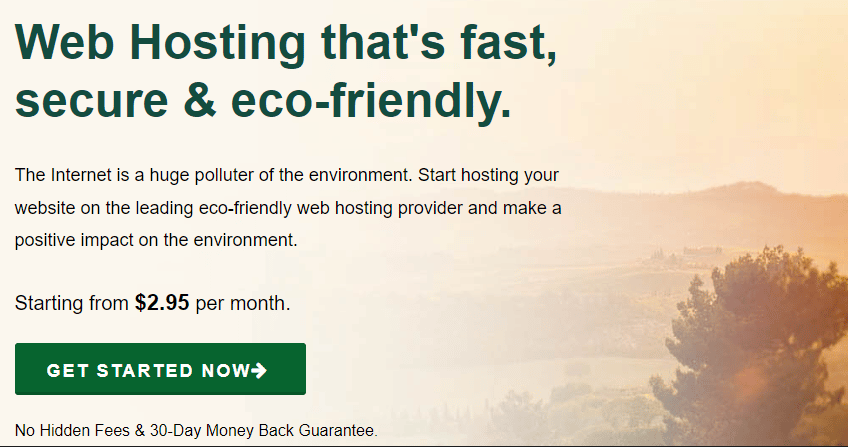
GreenGeeks offers many plans out of these plans. GreenGeek’s Lite plan is the most affordable. So, let’s discuss this plan.
GreenGeek’s Cheapest Plan: Lite Plan
Pricing: starts at $2.95/month
First-time discount price: $2.95/month for 1 year
Regular price: $12.95/month
When you buy GreenGeek hosting for the first time, you will get a special price of $2.95 per month for one year. Once the hosting expires, that renewal price will be $10.95/month.
Key Features of GreenGeek’s Lite Plan
- You can host 1 website
- 25 GB storage.
- Unmetered bandwidth.
- 50 free business email accounts
- 1-click WordPress installation.
- Free SSL certificate
- A free domain for a year.
- Free CDN
- Free Backup
- Built-in caching
- 300% Green energy match and one tree planted
- Multi-user access.
You don’t need to worry about backup because GreenGeeks also offers a backup feature. In case your website crashes, you can restore the backup. With the GreenGeek’s Lite plan, you will get 50 GB of storage, which is enough for most beginners to get started.
The next cool feature of GreenGeeks is eco-friendly. They claim to plant one tree for every hosting account. It means if you buy GreenGeeks hosting, you will have two benefits: one is hosting, and the other is a little positive impact on the environment.
Want a hosting that is not only fully featured and affordable but also eco-friendly? Then GreenGeeks can be a perfect fit for you.
3 DreamHost
The next best and cheapest WordPress hosting is DreamHost. Apart from Bluehost, WordPress also recommends DreamHost hosting to WordPress users.
DreamHost is another hosting provider that is perfectly suitable for WordPress blogs/websites and also quite affordable.

It offers three plans for WordPress hosting: WordPress Basic, DreamPress and VPS WordPress. Out of these plans, WordPress basic plan is the most affordable and reliable for beginners.
DreamHost’s Cheapest Plan: WordPress Basic Starter Plan
Pricing: starts at $2.59/month
First-time Discount Price:
- $2.59/month for 36 months
- $2.95/month for 12 months
- $4.95/month for one month
Renewal Price: $5.99/month
Key Features of DreamHost WordPress Basic Starter Plan
- You can host 1 website.
- 50 GB Storage
- Free Domain
- Free SSL Certificates
- Unlimited bandwidth.
- 24 x 7 Customer support
- Pre-installed WordPress
- Automated daily backups
- Money-back Guarantee for 97 days.
The first-time discount price is just $2.59/month, which is very cheap, and you will get the most needed features (as mentioned above). The best thing is the renewal price($5.99) is also relatively low compared to the other hosting providers.
With Dreamhost’s basic plan, you will get hosting for one website and 50 GB of storage. It also claims to provide unlimited bandwidth.
Dreamhost will also automatically back up your website; you have to do nothing for backup. For assistance, you can reach their customer support team, which is available 24 x 7.
Want to get Dreamhost Hosting? Perfect! Visit Dreamhost.
4 Hostinger
Hostinger is the another cheapest WordPress hosting on my list, costing you just $2.99 monthly. Along with affordability, it also offers some fantastic features, which make it perfect for beginners.

Out of all Hostinger plans, the single WordPress plan is the cheapest one. So, let’s explore what you will get with this plan.
Hostinger Cheapest Hosting Plan: Premium Plan
Pricing: starts at $2.99/month
First-time Discount and Renewal Price:
- $2.99/month for 48 months and renews at $11.99/month
- $2.99/month for 24 months and continues at $11.99/month
- $2.99/month for 12 months and continues at $11.99/month
- $11.99 for 1 month and renews at the same rate, which is $11.99/month
Key Features of WordPress Single Plan
- You can host 25 websites
- 25 GB SSD storage
- 100 email account for free
- Unlimited free SSL certificates
- WordPress acceleration to make your website fast.
- 30-day money-back Guarantee.
- Multiple data centres.
- WP-CLI
All these features are excellent, and this plan is very affordable. But keep in mind that with this plan, you will only get one free email address and the cap for a monthly visit is 10000.
Initially, you may not get too many visitors; hence it can fit your needs as a beginner. One more thing, you will not get a free domain with this plan.
Apart from this, you will get some advanced features, such as you can choose a data centre as per your audience’s location. So that your website will be on the nearest server, and it helps your website to load quickly.
Another feature is WP-CLI, and with this, you can update plugins or configure the installation without even using a web browser. So, it can be a time-saving feature for you.
Are these features you’re looking for hosting at the lowest price? Then! Hostinger can be a perfect solution for you.
5 Namecheap
Namecheap is best known for domain name providers and offers the most affordable hosting services. It is the cheapest WordPress hosting on this list, costing you $1.58/month to start. Namecheap is even cheaper than Hostinger.

It also offers managed WordPress hosting plans, but they cost you high. So, I have picked the Namecheap shared hosting stealer plan, which costs you just $1.58/month.
Namecheap’s Cheapest Plan: Shared Hosting Stealer Plan.
Pricing: starts at $1.58/month
Discount price:
- $1.58/month for 2 years
- $1.98/ month for 1 year
- $4.48/month for 1 month
Renews at: $4.48/month
Key Features of Namecheap’s Stealer Plan
- You can host 3 websites
- 1 free domain for 1 year
- 20 GB SSD Storage
- Thirty free professional email addresses.
- Free SSL Certificate
- 24 X 7 live support
- Unmetered bandwidth
- Backups twice a week
Namecheap’s starting plan will cost you $1.58 per month when you purchase hosting for two years.
With this lowest price, you can host three websites. No other hosting provider offers this cheap plan in which you can host up to 3 websites. But with this plan, you will get 20 GB of storage, but it can be perfect for beginners.
Apart from this, you will get one free domain and a backup feature to keep your website safe.
How To Get the Best Hosting At the Cheapest Price?
As we have discussed earlier, the best hosting provider can cost you more. However, some hosting companies offer ways to avail of the best hosting services at the lowest price. Here is how to get the best hosting services at the lowest price.
1) Get Shared Hosting
You might have heard about shared hosting, VPS hosting managed hosting, and WordPress hosting.
- Shared hosting: A beginner-friendly and most affordable hosting because multiple websites share a single hosting server.
- VPS Hosting: This gives you more control and flexibility because you have your virtual private server.
- Managed Hosting: It is perfect for handling a large traffic volume and offers more power and security.
Apart from this, there are platform-specific hostings like WordPress hosting. It is specially designed for the WordPress platform and offers WordPress users a seamless experience. It can be shared, managed or VPS.
Out of all these hosting types, shared hosting is the most beginner-friendly because it offers essential features at the lowest prices.
VPS and managed hosting are premium hosting services which cost you high. As a beginner, this hosting might not fit your budget. Also, initially, you might not need advanced features, so that’s why shared hosting is a perfect fit for beginners.
In this guide, I have only talked about shared and WordPress hosting so that you will get the cheapest hosting.
2) Avail First-time Discount Offer
A first-time discount offer is a great way to get the best hosting at the lowest price. Almost every hosting provider offers a first-time discount to attract new customers.
Initially, you can get a first-time discount to get hosting at a very affordable rate. After the expiry, hosting will renew at the regular price.
Suppose you have purchased hosting for one year at a discount, which will renew at the regular rate. So, after one year, your website can grow and generate a decent amount of revenue if you work in the right direction, so it will not be hard for you to pay as per the regular rate.
3. Select Basic Plan
Every hosting provider offers you multiple plans, and out of these, you can choose one that best fits your needs and budget.
A starting plan can be perfect for beginners because it is less costly than other plans and comes with basic features that beginners need. You can also pick a higher plan if you need more features but remember that higher plans will cost you more.
In this guide, I have covered the basic plans of each hosting provider.
4. Choose Long Period Plans To Save Money For Upcoming Years
One more thing that can help you save lots of money is choosing long-period plans. Long-period plans will help you get a discount price for the most extended period.
Because a first-time discount offer is only applicable when you buy hosting for the first time, the hosting provider allows you to pick a plan for one year, two years and three years.
If you want to save money for the upcoming years, pick the longest-period plan to get a discount for a long period.
5. Get Hosting During Sales Time
Another great tip to get the best and cheapest WordPress hosting is to purchase hosting during sales. Many hosting providers run sales on special days or once or twice yearly. So, you can purchase hosting during these sales to buy the best hosting at a very low price.
But the sales run for a minimal period and come only once or twice a year, and no one can wait that long. I will mention sales if any hosting provider is currently running.
You can also subscribe to my newsletter to get future hosting sales notifications via email. I will inform you when any hosting provider runs sales.
Time To Get Cheapest WordPress Hosting
Now, you know the six best and cheapest WordPress hosting along with their features and pricing. Now, it’s time to purchase hosting to bring your website or blog online.
To quickly pick the cheapest WordPress hosting, ask the following question from you:
- What features do you need for hosting?
- What is your budget for hosting?
Once you have answers, look at the above hosting provider and pick the one that best suits your needs and budget.
Which Hosting I’m Using?
I use Bluehost. Perfect! When I was not aware of some hosting providers. But I’m delighted with Bluehost because of its top-notch features, pricing, and customer support. Now I want to know your favorite hosting.
Have you decided on the hosting? Perfect! Let me know your choice in the comments.
Still confused? Drop your queries in the comments.
Next Helpful Guide 👉 How To Start A Blog or Website With WordPress