
Are you wondering how to copy Elementor page to another site? Then, your search may end here.
Because, in this guide, I’m going to share the easiest way that I use to copy Elementor pages from one to other sites without using any third-party plugin.
Recently, I needed to copy an Elementor page from one of my client’s sites to another. Because the same page, we need to publish on both of the client’s websites.
If I had manually created those pages then it would have taken much longer. Because you know how much time we need to invest in designing to get a professional-looking page.
So, as a quick solution, I was wondering if I could just copy the Elementor page from one site and publish it on another website.
After some troubleshooting, I was able to copy the Elementor page from one site to another site successfully just using a free version of Elementor. And that’s what I’m going to share with you in this guide and I hope you will find it useful.
How to copy Elementor page to another site?
Copying an Elementor page to another site is possible by just using a free Elementor plugin and no need to use any third-party plugin. Because Elementor itself comes with import and export templates feature that you can use to copy Elementor pages from one to other sites.
Before we dive into the step-by-step guide, make sure both of the websites have the Elementor plugin because only then you will be able to copy the Elementor page from one to another site.
In this example, I’m going to copy a page from the “Digitanoteshub” website to the “LearnwithKaur” website, and both of these sites have Elementor installed.
Step-by-Step Guide for Copying Elementor Pages to Another Site
Step 1: Log in to Your WordPress Dashboard
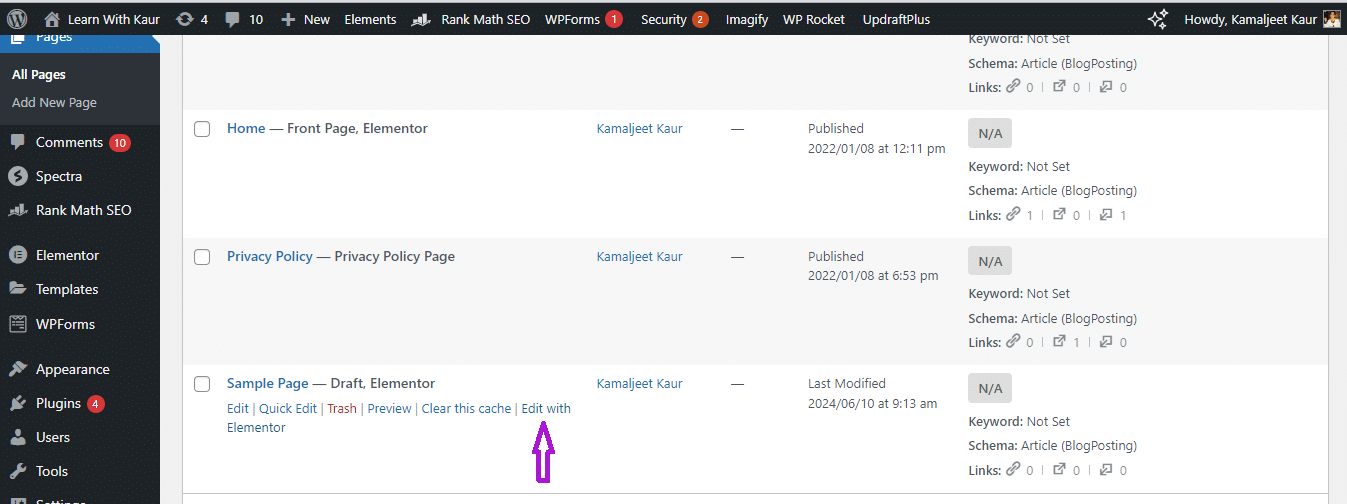
Firstly log into the WordPress dashboard of a site from where you want to copy the Elementor page. Now, navigate to the Elementor page that you want to copy. Click on “Edit with Elementor.”
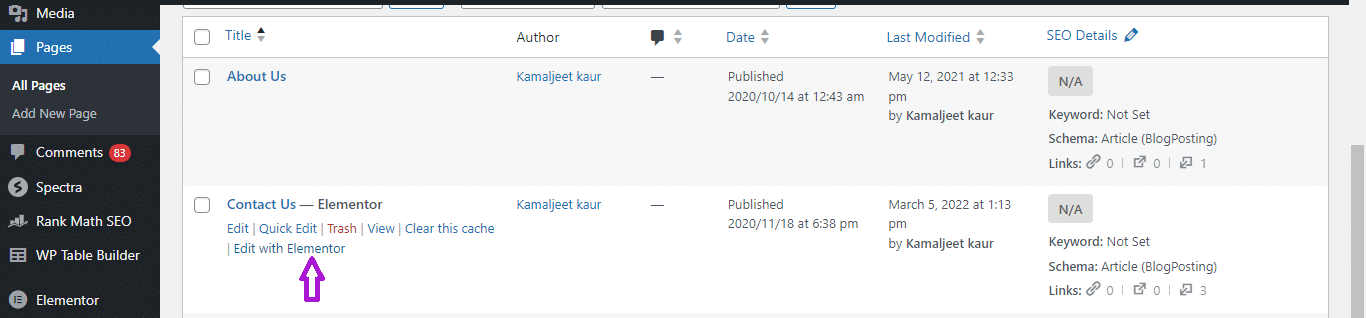
Step 2: Export Page as a Template
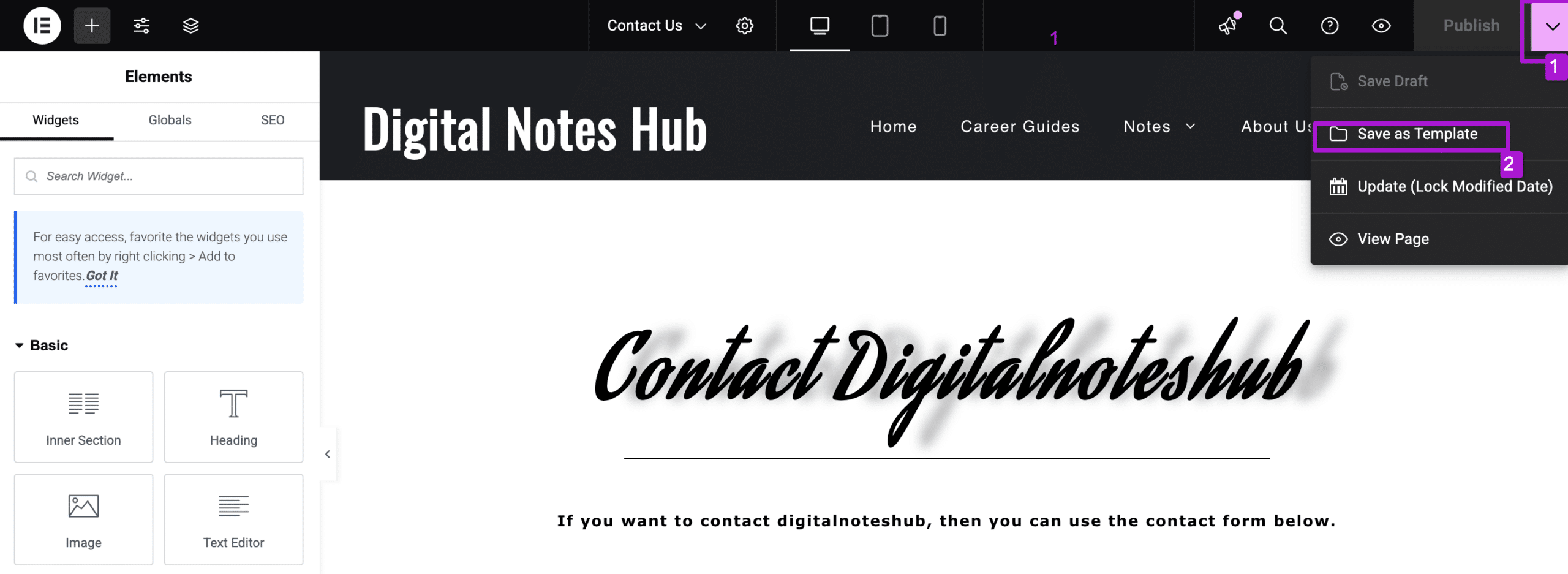
Now you will be redirected to the Elementor builder, from here click on the little downward arrow icon. And then hit “Save as Template”
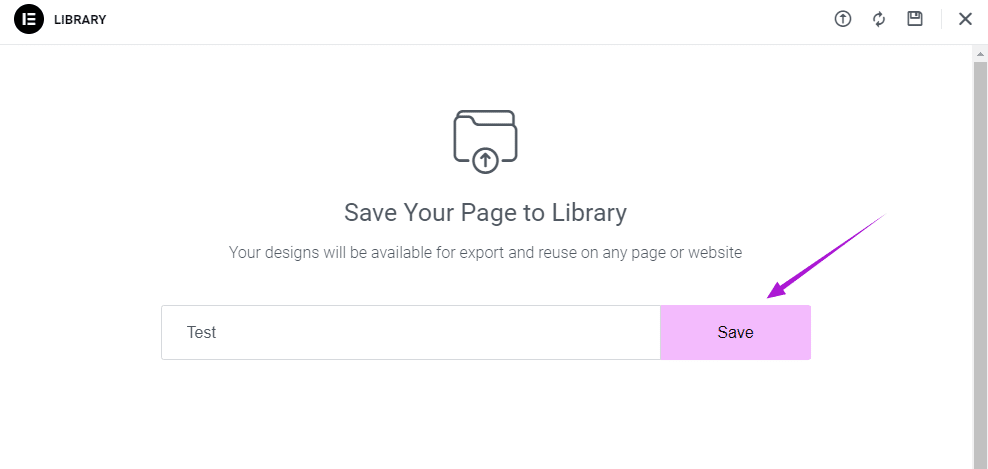
Now give it a unique name, such as “Test” and then Click “Save”
Once you save it, you will automatically see another pop-up that contains all of your templates. Now find the template that you just created, click on three dots, and then click “Export”.
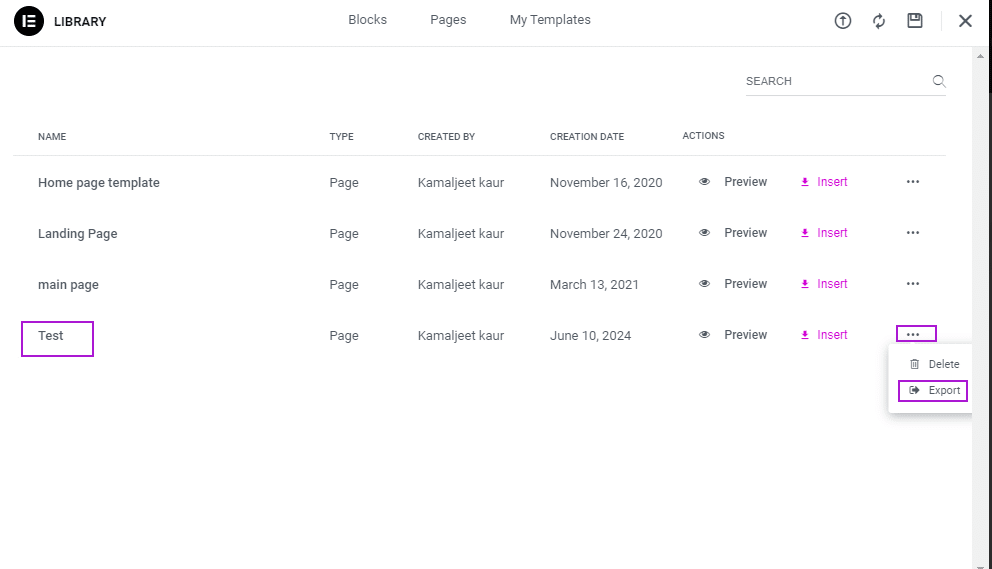
Now your page that you want to copy will be downloaded as a template which you can import to your other site.
Step 3: Log in to Another Site’s WordPress
Now login to the WordPress dashboard of another site where you want to past that page Either create a new page or edit an existing page in Elementor based on where you want to paste that Elementor page.
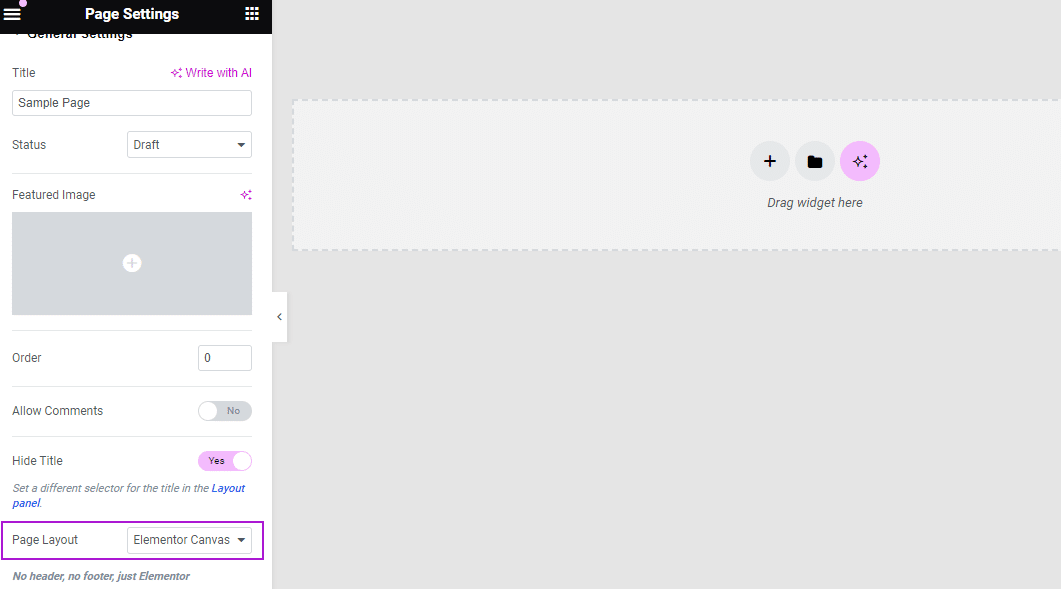
Go to settings and choose what type of layout you want for this page. I usually use Elementor canvas, because it removes the header and footer which we don’t need for most of the landing pages.[This step is optional, I’m just going through this step to have a perfect layout for my final page.]
Step 4: Import Template
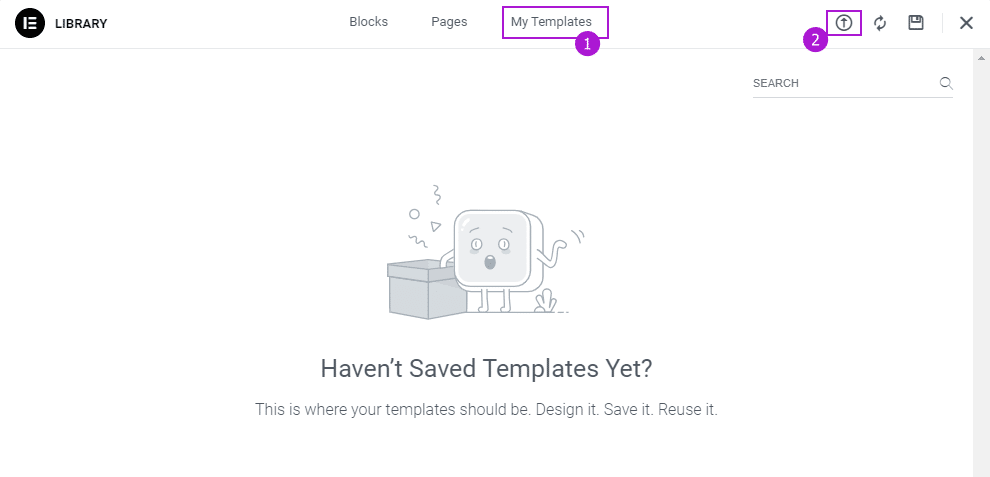
Now click on the “Add templates”.

Navigate to “My Templates” and click on the “Import” icon from the top bar.
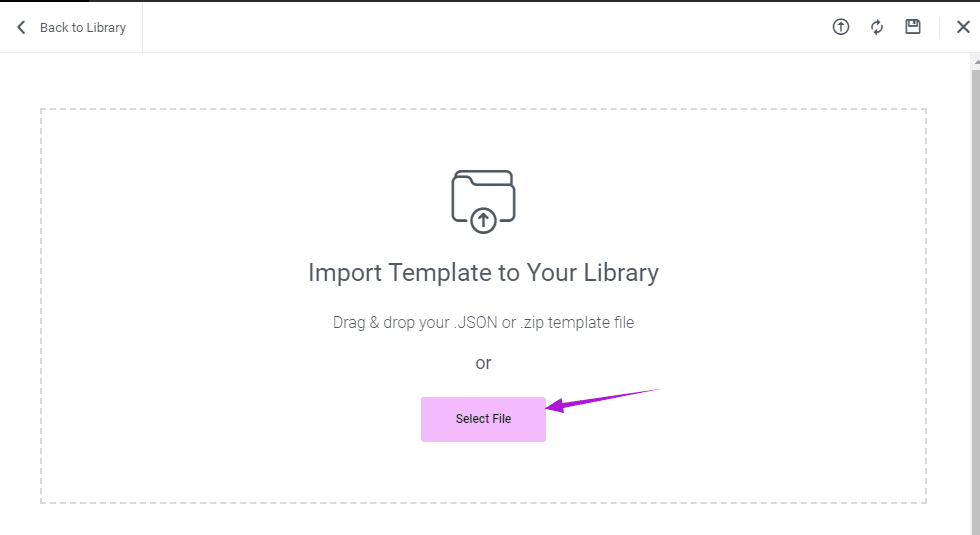
Now click on “Select File” and choose the file that you just exported from another site.
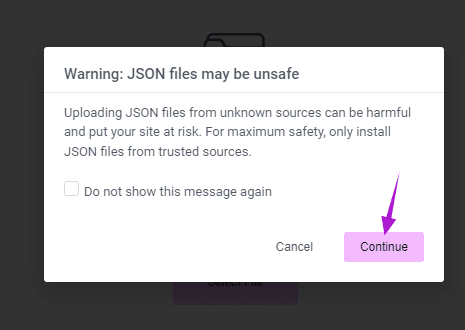
After uploading a file, you may receive a message like below that is just for safety purposes I just know that my file is safe because I just downloaded that from my other site.
So, I will click “Continue”.
This message is useful when you download templates from a third-party platform and you are not aware of whether that file is safe to use or not. Click “Continue” if you know that your file is safe to use.
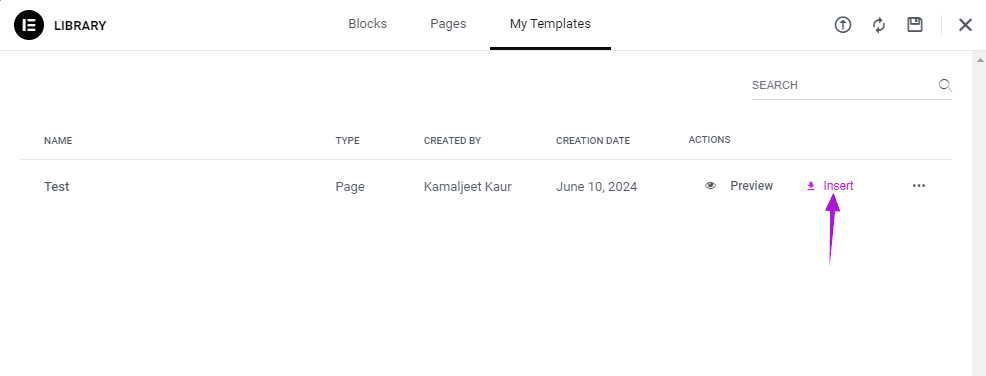
Once the file is successfully uploaded, you will see a pop-up like below and click on “Insert”.
Next, Hit “Apply”.
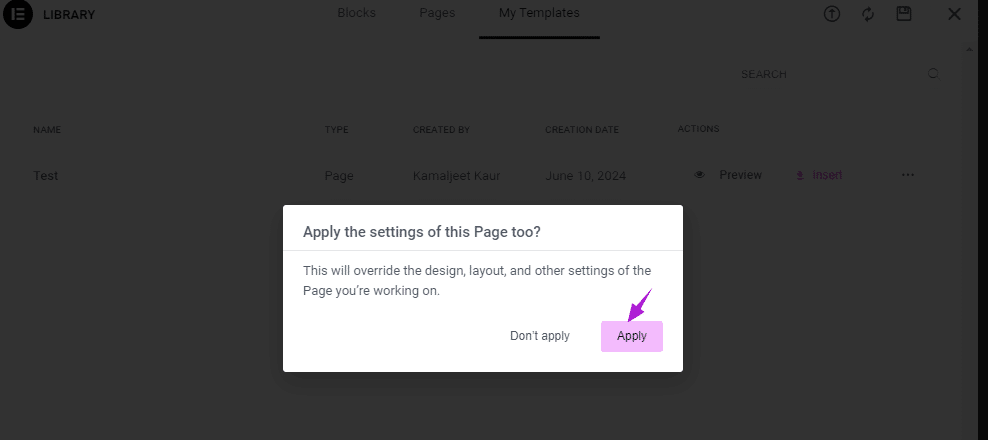
Now your Elementor page will be pasted to your other site. You can make any edits, if you want and publish the page to get your page live on another site.
This is how you can easily copy the Elementor pages from one to another site.
Final Thoughts
I hope now you will have an idea of how to copy the Elementor page to other sites.
There are various other methods that you can find on the internet for copying and pasting Elementor pages such as using a third-party plugin for this purpose.
But I like this method because we can just use Elementor itself to copy pages. And there is no need for any third-party plugin. And, I don’t prefer using a third-party plugin when there built-in feature.